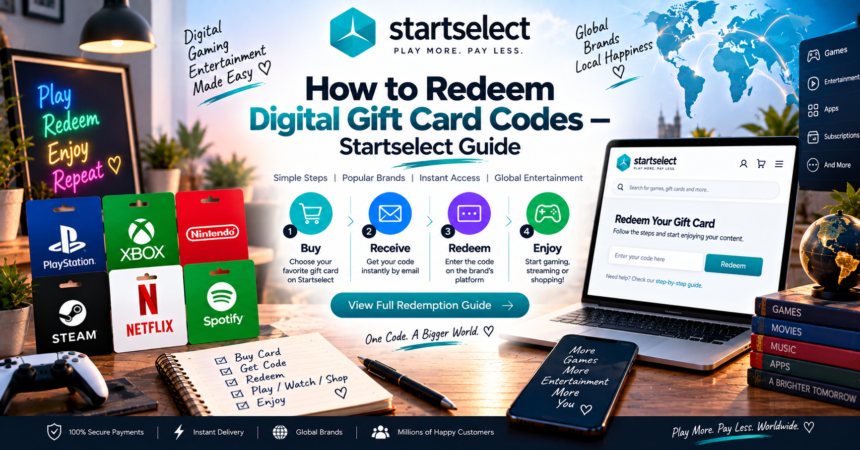
Buying a gift card is only half the process — knowing exactly how to redeem it afterward is where a lot of people actually get stuck. This walkthrough covers the full journey on Startselect, including how to redeem digital gift card codes once you’ve made a purchase, so nothing gets lost in confusion.
Part 1: Buying Your Gift Card
Step 1 — Pick your product.
Browse categories including gaming (PlayStation, Xbox, Nintendo, Steam), entertainment (Google Play, Apple), or shopping (Amazon, Zalando, Just Eat).
Step 2 — Choose the denomination.
Select the credit amount that fits your budget or the specific value you want to gift.
Step 3 — Pay securely.
Startselect supports PayPal, Mastercard, Visa, American Express, Klarna, and Apple Pay — no account creation required to check out.
Step 4 — Receive your code.
Your code appears on-screen instantly and is also sent to your email, typically within seconds of payment confirmation.
Part 2: Understanding Redemption
This is the part where knowing how to redeem digital gift card codes correctly actually matters, since each platform handles it slightly differently.
For PlayStation:
- Go to the PlayStation Store on your console or app
- Navigate to your account settings
- Select “Redeem Codes”
- Enter the code exactly as shown
For Xbox:
- Open the Microsoft Store or Xbox app
- Go to “Redeem Code” under your profile
- Type in the code and confirm
For Google Play:
- Open the Google Play Store app
- Tap your profile icon, then “Redeem Code”
- Enter your code
For Apple / iTunes:
- Open the App Store
- Tap your profile, then “Redeem Gift Card or Code”
- Enter the code manually or scan it if you have a physical version
Every platform follows a broadly similar pattern, which is why how to redeem digital gift card codes correctly usually just comes down to finding the right menu — the process itself rarely takes more than a minute.
Part 3: What to Do If Something Goes Wrong
If your code doesn’t work immediately:
- Double-check for typos — codes often mix similar-looking characters (0 vs O, 1 vs I)
- Confirm your account region matches the gift card’s region
- Check if the code has already been used — some redemption errors point to this
- Contact 24/7 customer support, which Startselect offers specifically to resolve delivery or redemption issues
Part 4: Gifting a Code to Someone Else
If you’re buying for someone rather than yourself, Startselect’s gifting service lets you send the code directly, without needing to manually forward emails or screenshot anything. The recipient receives their own delivery, ready to redeem on their end.
Part 5: A Few Practical Tips
- Redeem codes soon after purchase — while most don’t expire quickly, it’s safer not to let them sit indefinitely
- Keep your confirmation email as a backup in case you need the code again
- Use the correct platform account — a PlayStation code won’t work on an Xbox account, for example
Final Thoughts
Buying a gift card is simple; the part people actually get confused about is redemption. Now that you know how to redeem digital gift card codes across the most common platforms — PlayStation, Xbox, Google Play, and Apple — the entire process from purchase to actually using your credit should take just a few minutes, start to finish.