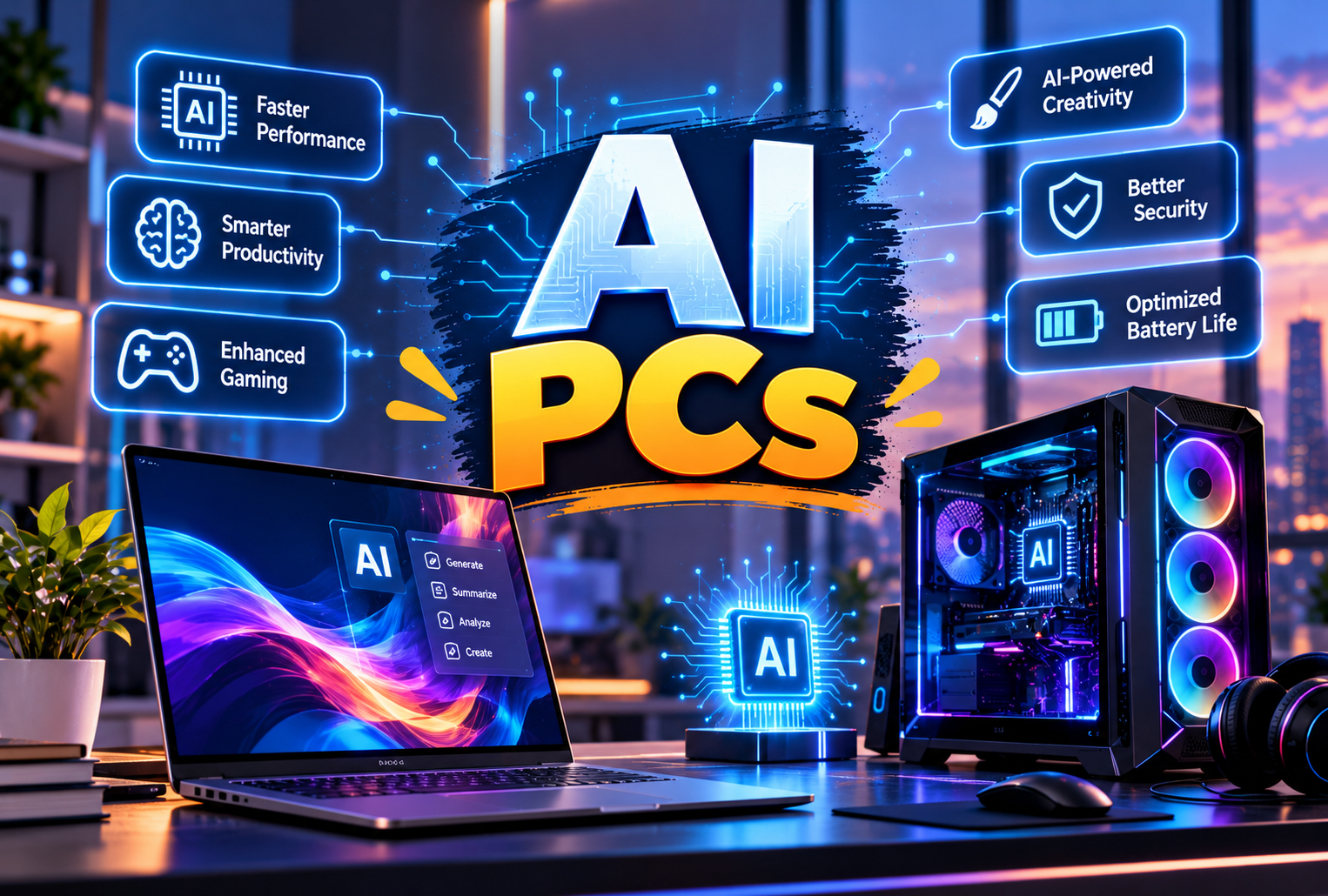
Artificial intelligence is changing how people play games, work, create content, and interact with their computers. In 2026, AI PCs are becoming an important part of this transformation by combining traditional computing power with specialised hardware designed to run AI workloads more efficiently.
Unlike conventional computers that rely mainly on the CPU and GPU for most processing tasks, modern AI-powered computers can also include a Neural Processing Unit (NPU). This dedicated processor helps handle tasks such as background removal, real-time effects, speech processing, and selected AI applications while reducing the workload on other components.
From smoother gaming visuals and faster video editing to intelligent productivity tools, AI PCs are expanding what personal computers can do. However, the actual benefits depend on the hardware, software, and applications being used.
In this guide, we explore how AI PCs are changing gaming and everyday computing, their key features, their advantages over traditional computers, and what to consider before buying one.
What Are AI PCs?
AI PCs are computers designed to run artificial intelligence workloads using specialised hardware and compatible software. Depending on the system, this hardware may include an NPU, an AI-capable GPU, and a modern CPU.
These components work together to handle different tasks. The CPU manages general computing, the GPU handles graphics and parallel processing, and the NPU is designed to accelerate certain AI operations efficiently.
For example, Microsoft's Copilot+ PC category requires an NPU capable of more than 40 trillion operations per second (TOPS), alongside other hardware requirements. However, not every computer marketed as an AI PC meets the Copilot+ PC requirements.
Learn more from the official Microsoft Copilot+ PC guide.
1. How AI PCs Are Transforming Gaming
Gaming is one of the most exciting areas where AI hardware is making a difference. Modern games require substantial graphics processing, and AI-assisted technologies can help improve image quality, performance, and certain in-game experiences.
AI-Powered Upscaling for Better Graphics
Rendering a game at a high resolution requires considerable GPU power. AI-powered upscaling technologies can render a game internally at a lower resolution and reconstruct a higher-resolution image.
This can help compatible games deliver smoother performance while maintaining impressive visual quality.
For example, NVIDIA's Deep Learning Super Sampling (DLSS) technology uses AI to improve performance and image quality in supported games. Results vary depending on the graphics card, game, resolution, and selected settings.
Explore the official NVIDIA DLSS technology page.
Improved Frame Rates with AI
Frame generation technologies use AI or other specialised techniques to generate additional frames between conventionally rendered frames. When supported and properly configured, this can make gameplay appear smoother.
However, a higher displayed frame rate does not automatically mean lower input latency or better responsiveness. Competitive gamers should evaluate latency, native performance, and image quality rather than relying on frame-rate numbers alone.
Smarter Gaming Laptops
AI PCs for gaming can also use intelligent power management to balance performance, temperature, fan noise, and battery consumption.
Some gaming laptops adjust performance according to the workload, while AI-assisted graphics technologies can help make better use of available hardware resources.
The biggest gains depend on the individual laptop design and software support, so buyers should still compare GPU power limits, cooling systems, and independent gaming benchmarks.
2. AI PCs Make Everyday Computing More Efficient
AI features are not limited to gamers and professional creators. They can also make routine computer tasks easier for students, office workers, freelancers, and home users.
Smarter Video Calls
Compatible AI features can help improve video calls through background blur, automatic framing, noise reduction, and eye-contact effects.
These features can be particularly useful for remote meetings, online classes, interviews, and virtual collaboration.
Depending on the application and hardware, some effects run locally on the device, while others may use conventional GPU processing or cloud services.
Real-Time Captions and Translation
Certain AI-enabled systems can generate captions or translate supported speech into another language. This can make online meetings, educational content, and international communication more accessible.
Language support, offline availability, and processing quality vary by operating system and application.
Better Search and Assistance
AI-powered tools can help users summarise information, draft text, organise ideas, and locate information more naturally.
Some experiences are integrated into the operating system, while others are available through browsers or third-party applications. Always check whether a feature runs locally, requires an internet connection, or sends data to an online service.
3. Faster Video Editing and Content Creation
Content creators often work with high-resolution video, large image files, animation, and complex editing projects. AI-capable hardware can accelerate selected creative workflows.
AI Video Editing
Modern editing software can use AI to assist with background removal, speech transcription, scene detection, noise reduction, and other time-consuming tasks.
For example, supported creative applications can use NVIDIA RTX acceleration for selected AI effects and video workflows.
Explore NVIDIA's AI on RTX platform for examples of AI-assisted creative applications.
Image Generation and Editing
AI-powered image tools can generate images from text prompts, remove unwanted objects, expand backgrounds, and assist with image enhancement.
A powerful GPU can be particularly valuable for creators who run demanding image-generation models locally. An NPU may accelerate compatible applications, but not every AI image tool uses one.
3D Design and Animation
AI acceleration can support tasks such as denoising, image enhancement, and selected rendering workflows. This can be useful for designers, animators, architects, and developers working with complex visual projects.
Performance still depends on GPU capability, memory capacity, software optimisation, and the size of the project.
4. Understanding the Main AI Computer Features
The benefits of AI hardware become easier to understand when you look at the components and features that make these computers different.
Neural Processing Unit (NPU)
An NPU is a specialised processor designed to accelerate supported AI workloads. It can handle certain tasks efficiently without requiring the CPU or GPU to perform all the work.
This can be useful for compatible background effects, speech processing, and local AI applications.
AI-Capable Graphics Processing Unit (GPU)
A GPU is especially important for gaming, graphics-intensive applications, 3D work, and many AI models.
For demanding gaming or creative work, a strong GPU may provide more practical benefits than a high NPU performance rating alone.
Modern CPU
The CPU remains essential for operating systems, general applications, game logic, multitasking, and coordinating different components.
An AI PC still needs a capable CPU to provide a responsive overall experience.
Memory and Storage
RAM allows the computer to keep applications and active projects available, while an SSD helps load games, software, and files quickly.
Larger AI models and professional creative applications may require substantial memory. Before buying, consider the RAM capacity, whether it can be upgraded, and the storage available for games and large project files.
5. AI PC vs Traditional PC: What Is the Difference?
The main difference is the additional AI-focused hardware and the software experiences it can support. A traditional PC can still run many AI applications, particularly when it has a capable GPU, but a modern AI PC may provide dedicated acceleration for compatible workloads.
| Feature | Traditional PC | AI PC |
|---|---|---|
| Everyday computing | Supported | Supported |
| Dedicated NPU | Not always included | Often included |
| Local AI processing | Depends on CPU/GPU and software | May be accelerated by NPU or GPU |
| Gaming performance | Depends on CPU and GPU | Also depends on CPU and GPU |
| AI video and audio effects | Supported by compatible hardware and software | May benefit from dedicated AI acceleration |
| Battery efficiency | Depends on the system | NPU-based tasks may improve efficiency |
| Future AI features | Depends on hardware compatibility | May offer broader support for newer AI features |
Important: An AI PC is not automatically faster than a traditional PC in every task. A gaming desktop with a powerful dedicated GPU may outperform a thin AI laptop in demanding games, while an efficient AI laptop may be better suited to portable work and compatible local AI tasks.
6. AI PCs for Students and Office Professionals
AI PCs can help students and professionals complete everyday tasks more efficiently when suitable applications are available.
For Students
Students can use compatible AI tools to summarise study material, organise notes, practise languages, transcribe lectures where permitted, and assist with research.
AI should support learning rather than replace critical thinking. Users should also check the accuracy of generated information and follow their institution's academic integrity rules.
For Office Professionals
Office workers may benefit from AI-assisted writing, meeting summaries, document analysis, spreadsheet support, and communication tools.
For people who regularly handle confidential business information, local processing can be useful when the application genuinely keeps data on the device. However, having an NPU does not automatically guarantee privacy; application permissions and data policies still matter.
7. AI Productivity Tools and Multitasking
AI productivity tools are becoming part of common work and study routines. They can help with repetitive tasks and reduce the time required for certain workflows.
Examples include:
-
Drafting and rewriting emails.
-
Summarising long documents.
-
Transcribing supported audio.
-
Organising notes and research.
-
Generating presentation outlines.
-
Assisting with coding and debugging.
-
Removing distractions from audio and video.
Some applications can use local AI hardware, while others rely on cloud-based services. The fastest option depends on the model, workload, internet connection, and system specifications.
For users who frequently multitask, sufficient RAM, a responsive SSD, and a balanced CPU remain just as important as AI acceleration.
8. Are AI Laptops in 2026 Worth Buying?
AI laptops in 2026 are available in different categories, from lightweight devices for everyday productivity to powerful gaming and creator laptops.
Whether one is worth buying depends on your needs rather than the AI label alone.
An AI laptop may be a good choice if you:
-
Frequently use AI-assisted creative or productivity software.
-
Want supported AI features that run locally.
-
Need a portable computer for work, study, and travel.
-
Prefer a modern platform with dedicated AI acceleration.
-
Plan to keep the laptop for several years and value compatible new features.
A traditional laptop may still be a better fit if you:
-
Mainly browse the internet, watch videos, and use office software.
-
Can meet your needs with a less expensive device.
-
Prioritise dedicated GPU performance for gaming.
-
Do not use AI applications regularly.
Before purchasing, compare actual battery tests, display quality, cooling, GPU performance, memory, upgrade options, warranty, and the applications you intend to use.
9. Privacy and Security in AI PCs
One potential advantage of AI PCs is the ability to run certain AI models directly on the computer. Local processing can reduce the need to send some information to remote servers.
This can be valuable when working with private documents, personal projects, or sensitive business data.
However, local AI does not make a device completely secure. Applications may still transmit information online, and the computer remains vulnerable to malicious software, insecure accounts, and poor security practices.
To protect your information:
-
Keep the operating system and applications updated.
-
Review the permissions of AI tools before using them.
-
Check whether processing happens locally or in the cloud.
-
Avoid entering confidential information into services you do not trust.
-
Use strong authentication and appropriate security software.
For business users, privacy and data-handling policies should be considered alongside hardware specifications.
10. What to Check Before Buying an AI PC
Choosing the right AI PC starts with understanding your main workload.
For Gaming
Prioritise the graphics card, cooling performance, processor, display refresh rate, and memory. Check independent benchmarks for the games you actually play.
For Video Editing
Look for a capable CPU, suitable GPU acceleration, sufficient RAM, and fast storage. Confirm that your editing software supports the AI features you plan to use.
For Office Work and Study
A modern efficient processor, good battery life, a comfortable keyboard, a quality display, and enough RAM may matter more than maximum AI performance.
For Local AI Development
Consider GPU capability, supported AI frameworks, memory capacity, model compatibility, and software support. Large local models can require far more memory than ordinary productivity applications.
For Long-Term Use
Check the manufacturer's update policy, repairability, warranty, and whether the device meets the requirements for the features you want.
You can review Microsoft's official AI PC guidance to understand how NPUs are used by supported Windows applications.
11. Limitations of AI PCs You Should Know
Although AI hardware offers new possibilities, there are some limitations to consider.
Software compatibility: Not every application supports NPU acceleration. Some tools rely on the CPU, GPU, or cloud processing instead.
Higher purchase costs: Devices with advanced AI hardware or powerful dedicated graphics may cost more than basic computers.
Variable performance: AI performance depends on the model, precision, memory, drivers, and application optimisation.
Power and heat: Heavy AI workloads can still consume significant power and produce heat, especially on gaming laptops.
Privacy differences: Some AI services process information online, even when the computer contains a dedicated NPU.
Gaming is still hardware-dependent: An NPU alone does not guarantee high frame rates. Graphics hardware, cooling, game optimisation, and display resolution remain crucial.
Understanding these limitations helps buyers choose a computer based on real requirements instead of marketing claims.
12. The Future of Personal Computing
The future of personal computing is likely to involve closer cooperation between CPUs, GPUs, NPUs, operating systems, and AI applications.
More tasks may be handled directly on devices, including selected assistants, real-time translation, content creation, and automated workflows. This could reduce reliance on cloud services for some activities and make certain features more responsive.
Gaming may continue to benefit from AI-assisted rendering, image reconstruction, animation, and development tools. At the same time, productivity applications may become more capable of assisting with multi-step tasks.
The pace of adoption will depend on software support, hardware costs, privacy requirements, and the real-world value of these features.
Ultimately, the most useful AI PC will not simply be the one with the highest AI performance rating. It will be the one that handles your daily work, entertainment, and creative tasks reliably and efficiently.
Conclusion
AI PCs are changing personal computing by bringing specialised AI acceleration into gaming, productivity, video editing, communication, and creative applications. They can make compatible tasks more efficient and open up new ways to interact with software.
However, choosing the right system still requires more than looking at AI specifications. Gaming enthusiasts should focus on graphics performance and cooling, creators should consider memory and software acceleration, and everyday users should prioritise reliability, battery life, and value.
As AI hardware and software continue to evolve, AI PCs are likely to become an increasingly important part of the future of personal computing. The best choice is the computer that delivers meaningful benefits for the tasks you perform most often.