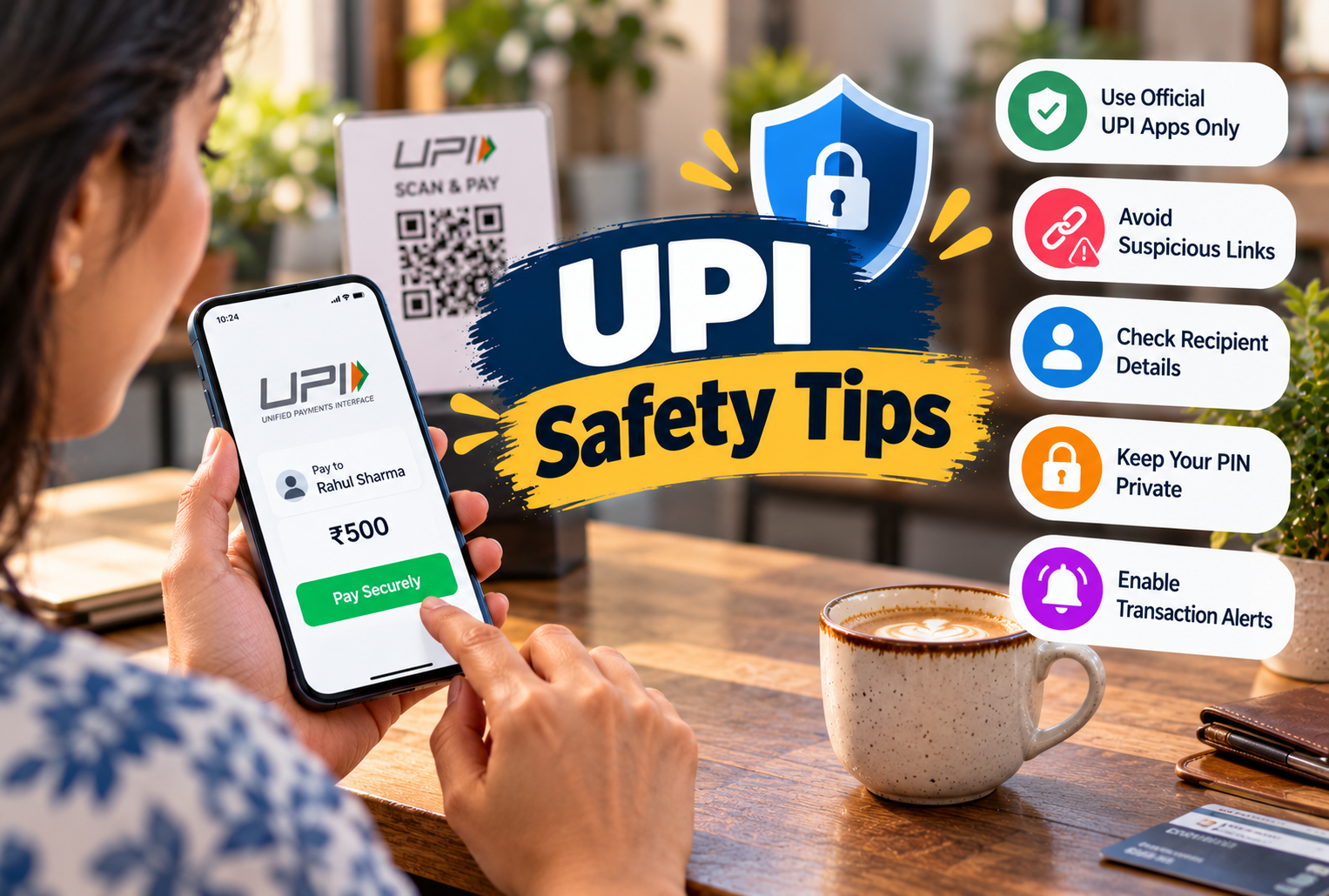
Digital payments have made everyday transactions faster and more convenient in India. Whether you are paying at a grocery store, shopping online, sending money to family, or paying electricity bills, UPI (Unified Payments Interface) allows you to transfer money directly between bank accounts within seconds.
Popular UPI apps such as Google Pay, PhonePe, Paytm, and BHIM have made cashless payments a regular part of daily life. However, as digital payments become more common, online fraudsters are also finding new ways to trick users.
From fake payment screenshots and fraudulent QR codes to suspicious collect requests, fake customer support calls, and UPI PIN scams, cybercriminals use different methods to steal money.
The good news is that many of these scams can be avoided by following simple safety habits.
Understanding the most important UPI safety tips can help you protect your bank account, recognise suspicious transactions, and make safer digital payments.
In this guide, we will explore 15 practical UPI safety tips to avoid online payment scams in India, along with common fraud methods and what to do if you become a victim.
What Is UPI and How Does It Work?
Unified Payments Interface (UPI) is a real-time payment system developed by the National Payments Corporation of India (NPCI). It allows users to transfer money between participating bank accounts through supported mobile applications.
UPI payments can be made using a UPI ID, mobile number, QR code, or other supported payment methods.
To authorise a regular outgoing UPI payment, users generally enter their UPI PIN in the secure payment flow.
Common Uses of UPI
-
Shopping Payments: Pay at retail shops, supermarkets, and online stores.
-
Money Transfers: Send money to friends and family.
-
Bill Payments: Pay electricity, mobile, internet, and other bills.
-
Merchant Payments: Make payments to businesses using QR codes.
-
Online Purchases: Complete transactions on supported shopping platforms.
-
Subscriptions: Authorise eligible recurring payments through UPI AutoPay.
UPI is designed with security features, but users must still be careful about suspicious requests and social engineering scams.
Important: You do not need to enter your UPI PIN to receive a normal UPI payment. A request asking you to enter your PIN to receive money is a major warning sign.
1. Never Share Your UPI PIN with Anyone
The most important rule for safe UPI transactions is to keep your UPI PIN private.
Your UPI PIN is a confidential security code used to authorise payments and certain account-related actions.
Fraudsters may pretend to be bank employees, customer support representatives, or payment app officials and ask you to share your PIN.
Some scammers create a false sense of urgency by claiming that your account will be blocked unless you provide your payment details.
How to Protect Your UPI PIN
-
Never share your UPI PIN over phone calls, messages, or emails.
-
Do not enter your PIN on unknown websites.
-
Avoid using easily guessed PIN combinations.
-
Keep your phone screen private while entering your PIN.
-
Never allow another person to authorise transactions on your behalf.
Safety Tip: Legitimate bank representatives and UPI customer support teams should not ask for your UPI PIN.
2. Remember That Receiving Money Does Not Require a UPI PIN
One of the most common UPI payment scams involves tricking users into entering their PIN to receive money.
A scammer may claim that they are sending you a refund, prize, cashback reward, or payment.
They then ask you to approve a payment request or enter your UPI PIN.
In reality, entering your PIN may authorise money to leave your account.
Example of a Fake Payment Request
A fraudster contacts you and says:
This is a warning sign.
For a normal incoming UPI transfer, you do not need to enter your PIN.
How to Stay Safe
-
Do not approve unknown payment requests.
-
Read the transaction details before entering your PIN.
-
Check whether the transaction says Pay, Send, or Approve.
-
Never enter your PIN to claim an unexpected reward.
-
Verify incoming money through your bank account or trusted transaction history.
Safety Tip: If someone asks you to enter your UPI PIN to receive money, stop the transaction immediately.
3. Be Careful When Scanning QR Codes
QR codes have made payments simple, especially at local shops and restaurants.
However, scammers may use fraudulent QR codes to mislead users.
A QR code can contain payment details or direct you to a website, depending on its type.
Fraudsters may send a QR code and claim that scanning it will help you receive money.
Common QR Code Scam Example
Suppose you are selling a second-hand product online.
A buyer contacts you and says they want to pay immediately. Instead of sending money, they share a QR code and ask you to scan it to receive payment.
If the code initiates an outgoing payment and you approve it, money may be deducted from your account.
QR Code Payment Fraud Prevention Tips
-
Do not scan a QR code to receive a normal UPI payment.
-
Check the recipient's name before paying.
-
Avoid QR codes sent by unknown people.
-
Be cautious of QR code stickers placed over original merchant codes.
-
Verify the amount and payment direction before authorising.
Safety Tip: Scanning a QR code alone does not necessarily transfer money, but approving a payment request or entering your PIN can authorise an outgoing transaction.
4. Avoid Fake UPI Payment Screenshot Scams
A fake UPI payment screenshot scam is common in shops, online marketplaces, and person-to-person transactions.
In this scam, a fraudster shows a fake payment confirmation screenshot to make the seller believe that money has been transferred.
The screenshot may look similar to a genuine payment confirmation.
However, the actual payment may never have been completed.
How Fake Payment Screenshot Scams Work
A customer purchases an item and claims to have paid through UPI.
They show a screenshot displaying a successful payment message.
The seller trusts the screenshot and hands over the product without checking the actual transaction.
Later, the seller discovers that the money was never received.
How to Avoid This Scam
-
Never rely only on a payment screenshot.
-
Check your bank account or trusted payment app transaction history.
-
Confirm the amount received.
-
Verify the transaction status.
-
Wait for reliable payment confirmation before handing over expensive goods.
Safety Tip: A screenshot is not proof that money has reached your account.
5. Verify the Recipient Before Sending Money
Sending money to the wrong UPI ID or mobile number can create serious problems.
Fraudsters may use names or payment addresses that look similar to legitimate businesses or individuals.
Before completing a transaction, check the payment details carefully.
What to Check Before Paying
-
Recipient Name: Confirm that it matches the intended person or business.
-
UPI ID: Check for spelling mistakes or unusual characters.
-
Payment Amount: Verify the amount before authorising.
-
Payment Purpose: Make sure you understand why you are sending money.
-
Transaction Type: Confirm that it is the action you intended.
For example, if you are paying a local shop, verify the merchant name displayed in the payment app.
Safety Tip: For a new recipient, consider making a small test payment when appropriate before transferring a large amount.
6. Do Not Trust Unknown Payment Links
Fraudsters often send suspicious links through SMS, WhatsApp, email, or social media.
These messages may claim that you have received a cashback reward, won a prize, or need to update your bank account.
The link may lead to a fake website designed to collect personal information.
Examples of Suspicious Messages
-
"Claim your ₹2,000 cashback now."
-
"Your bank account will be blocked today."
-
"Update your KYC immediately."
-
"You have received a special UPI reward."
-
"Click here to verify your payment account."
These messages may use urgency or attractive offers to encourage quick action.
How to Stay Safe
-
Avoid clicking unknown payment links.
-
Do not enter banking details on suspicious websites.
-
Use official bank and payment app channels.
-
Check website addresses carefully.
-
Ignore unexpected reward messages that ask for sensitive information.
Safety Tip: If you receive an account-related warning, open your bank's official app or website independently rather than using the link in the message.
7. Never Share OTPs or Banking Details
A one-time password (OTP) is another important security measure used by banks and digital services.
Fraudsters may ask for your OTP while pretending to verify your account, process a refund, or complete a payment.
Sharing an OTP can allow someone to complete an unauthorised action, depending on what the OTP is intended to authorise.
Information You Should Keep Private
-
UPI PIN
-
Banking Passwords
-
OTP Codes
-
ATM PIN
-
Card CVV
-
Account Login Credentials
Your bank account number or UPI ID may sometimes be shared for legitimate payments, but you should never share secret authentication information.
Safety Tip: Read OTP messages carefully. They often explain what action the code is intended to authorise.
8. Download UPI Apps Only from Trusted Sources
Fake payment apps can be used to steal personal information or mislead users.
Scammers may send links to unofficial apps that resemble popular UPI applications.
Installing an unknown application can expose your phone to security risks.
Safe App Downloading Tips
-
Download apps from trusted app stores.
-
Check the app publisher carefully.
-
Avoid installing unknown APK files.
-
Review app permissions before allowing access.
-
Keep payment apps updated.
-
Remove suspicious applications.
Safety Tip: Do not install a payment application simply because someone sends you a download link.
9. Be Alert to Fake Customer Support Calls
Fake customer support scams are another common type of online payment fraud in India.
Fraudsters may pretend to represent a bank, UPI service, or payment application.
They might claim that your transaction failed or your account requires urgent verification.
The scammer may then ask you to share sensitive details, install a remote-access app, or approve a payment.
Common Warning Signs
-
Someone asks for your UPI PIN.
-
You are told to share an OTP.
-
A caller demands immediate payment.
-
You are asked to install an unfamiliar application.
-
The caller threatens to block your account.
-
You are pressured to complete an action without checking.
How to Protect Yourself
Contact customer support through your bank's official website, banking app, or verified customer service channels.
Do not trust a phone number simply because it appears in an online advertisement or search result.
Safety Tip: Genuine customer support should not require you to disclose your UPI PIN or banking password.
10. Avoid Using Public Wi-Fi for Sensitive Transactions
Public Wi-Fi networks are convenient, but some may be insecure or controlled by attackers.
Although legitimate payment apps use security protections, connecting to an untrusted network can increase certain risks.
Safe Internet Habits
-
Prefer trusted mobile data or secure Wi-Fi.
-
Avoid connecting to unknown networks.
-
Keep your phone's operating system updated.
-
Do not ignore browser security warnings.
-
Avoid entering sensitive information on suspicious websites.
Safety Tip: If you must use public Wi-Fi, make sure you are using the genuine payment app and avoid suspicious links or login pages.
11. Keep Your Smartphone Secure
Your smartphone is an important part of your UPI security.
If someone gains unauthorised access to your phone, they may be able to misuse information, messages, or logged-in services.
Protecting your device can reduce the risk of payment-related fraud.
Smartphone Security Tips
-
Use a Strong Screen Lock: Enable a PIN, password, or biometric lock.
-
Update Your Phone: Install security updates regularly.
-
Enable App Locks: Use supported security features for payment apps.
-
Avoid Unknown Apps: Do not install software from suspicious sources.
-
Keep Notifications Private: Consider hiding sensitive notification content.
-
Protect Your SIM: Contact your mobile operator quickly if your SIM stops working unexpectedly.
Safety Tip: If your phone is lost or stolen, contact your bank and mobile operator promptly to secure your accounts and mobile number.
12. Check Your UPI Transaction History Regularly
Monitoring your bank account and UPI transactions is an important part of UPI fraud prevention.
Some users make several small payments every day and forget to review their transaction history.
Regular checking can help you identify unfamiliar payments or unexpected deductions.
What to Look For
-
Unknown transactions
-
Unexpected payment requests
-
Duplicate payments
-
Unfamiliar merchant names
-
Incorrect payment amounts
-
Unrecognised recurring payment mandates
If you notice an unfamiliar transaction, contact your bank immediately through official channels.
Safety Tip: Enable bank transaction alerts so that you receive notifications when money is debited or credited.
13. Be Careful with UPI AutoPay and Subscription Mandates
UPI AutoPay allows eligible recurring payments, such as subscriptions and other authorised charges.
While convenient, it is important to review mandates before approving them.
A fraudster may try to convince you to authorise a recurring payment without clearly explaining what it does.
How to Use UPI AutoPay Safely
-
Review the merchant name.
-
Check the payment amount or maximum limit.
-
Understand the payment frequency.
-
Verify the mandate duration.
-
Review active mandates regularly.
-
Cancel subscriptions you no longer need through supported channels.
Safety Tip: Do not approve a UPI mandate unless you understand what you are authorising.
14. Avoid Screen-Sharing and Remote-Access Scams
Some scammers ask users to install screen-sharing or remote-access applications.
They may claim that the app is needed to fix a failed payment, provide a refund, or complete account verification.
However, remote-access tools can allow another person to view or control parts of your device.
How These Scams Work
A fraudster pretends to be a customer support representative.
They ask you to install a remote-support app and follow instructions.
The scammer may then try to observe sensitive information or manipulate you into authorising a transaction.
How to Stay Safe
-
Do not install remote-access apps at the request of unknown callers.
-
Avoid sharing your screen during banking activities.
-
Never reveal your UPI PIN or OTP.
-
End suspicious calls immediately.
-
Contact your bank through official support channels.
Safety Tip: Be especially cautious if someone asks you to share your screen while opening a payment app.
15. Report Suspicious UPI Transactions Immediately
If you believe you have been scammed, acting quickly is important.
Fraudulent transactions may be difficult to recover, but prompt reporting can improve the chances of appropriate action.
In India, you can report financial cyber fraud through the official cybercrime reporting system.
What to Do After UPI Fraud
Step 1: Contact Your Bank Immediately
Report the unauthorised or fraudulent transaction and request appropriate protective action.
Step 2: Report the Transaction in Your UPI App
Use the app's official support or dispute reporting feature.
Step 3: Call the Cyber Fraud Helpline
Dial 1930, India's national cyber financial fraud reporting helpline.
Step 4: File an Online Cybercrime Complaint
Visit the official National Cyber Crime Reporting Portal.
Step 5: Save Transaction Evidence
Keep relevant transaction IDs, screenshots, messages, phone numbers, and communication records.
Step 6: Secure Your Accounts
Change compromised passwords, remove suspicious applications, and follow your bank's instructions.
Important: Report fraud as soon as possible. Recovery is not guaranteed, and the outcome depends on the circumstances.
Common UPI Payment Scams in India
Understanding common fraud methods can help you identify suspicious activity before losing money.
|
Scam Type |
How It Works |
How to Stay Safe |
|---|---|---|
|
Fake Payment Screenshot |
Fraudster shows false payment proof |
Verify actual account credit |
|
QR Code Scam |
User is tricked into authorising a payment |
Check payment direction |
|
Fake Collect Request |
Fraudster asks user to approve a debit |
Reject unknown requests |
|
Fake Customer Support |
Scammer impersonates support staff |
Use official support channels |
|
Cashback Scam |
Fraudster promises rewards for sensitive actions |
Ignore suspicious reward requests |
|
OTP Scam |
Scammer asks for an authentication code |
Never share OTPs |
|
Remote-Access Scam |
User is tricked into granting device access |
Avoid unknown remote-support requests |
|
Fake KYC Update |
Fraudster creates urgency about account verification |
Verify directly with the bank |
|
AutoPay Mandate Scam |
User is tricked into approving recurring payments |
Review mandate details |
|
Wrong Recipient Scam |
Money is sent to an unintended account |
Verify recipient details |
How to Identify a Fake UPI Payment Request
A fake payment request may look similar to a legitimate notification.
However, certain warning signs can help you recognise suspicious activity.
Warning Signs of a UPI Scam
-
Unexpected Payment Requests: Someone asks you to approve a transaction you did not initiate.
-
Urgent Messages: You are pressured to act immediately.
-
Requests for UPI PIN: Someone claims your PIN is required to receive money.
-
Unknown QR Codes: A stranger sends a code and asks you to scan it for a refund.
-
Unverified Customer Support: A caller asks for banking details or remote access.
-
Unrealistic Rewards: You are promised money or prizes without a genuine reason.
If anything feels suspicious, stop and verify the request independently.
How to Make Safe UPI Transactions Every Day
Developing a few simple habits can make digital payments safer.
Before Making a Payment
Check the recipient's name, payment amount, and transaction purpose.
While Making a Payment
Use your genuine payment app and enter your UPI PIN only when you intend to authorise the action shown.
After Making a Payment
Review the transaction status and confirm that the payment was completed.
When Receiving Money
Check your bank account or trusted payment history rather than relying on screenshots.
When Contacted by Strangers
Do not share confidential information, approve unknown payment requests, or install unfamiliar applications.
These basic UPI safety tips can help reduce the risk of common payment scams.
What to Do If You Accidentally Send Money to the Wrong UPI ID
Sending money to the wrong person can happen because of an incorrect UPI ID, mobile number, or recipient selection.
If this happens, take action quickly.
Steps to Follow
-
Check the Transaction Details: Confirm the amount, recipient, and transaction reference number.
-
Contact Your Bank: Report the mistaken transfer through official channels.
-
Raise a Complaint in Your UPI App: Use the available transaction dispute option.
-
Keep Transaction Records: Save the UPI transaction ID and related information.
-
Follow the Bank's Instructions: The bank may guide you through the applicable complaint or recovery process.
A successful UPI transfer cannot generally be cancelled simply by pressing a button after completion.
Recovery may depend on the recipient's cooperation and the applicable banking dispute process.
Important: If you believe the transfer involved fraud rather than a genuine mistake, report it immediately through the bank and official cybercrime channels.
Can You Get Your Money Back After UPI Fraud?
Whether you can recover money lost through UPI fraud depends on the circumstances.
Factors may include how the transaction occurred, whether it was authorised, how quickly you reported it, and the applicable bank and regulatory rules.
Under RBI's framework for unauthorised electronic banking transactions, customer liability can depend on the cause of the transaction and reporting time.
However, not every UPI scam qualifies for automatic reimbursement.
For example, a transaction that a customer was tricked into authorising may be treated differently from a transaction carried out without the customer's authorisation.
What You Should Do
-
Report the incident to your bank immediately.
-
Keep the complaint reference number.
-
Contact the cyber fraud helpline at 1930.
-
Submit a complaint through cybercrime.gov.in.
-
Follow up through the bank's official grievance process.
-
If the complaint remains unresolved, review the applicable RBI complaint escalation options.
Safety Tip: Do not trust anyone who promises guaranteed recovery in exchange for an upfront fee. This may be another scam.
UPI Safety Tips for Senior Citizens and Beginners
Senior citizens and first-time digital payment users may be less familiar with certain online fraud techniques.
A few extra precautions can help make UPI payments easier and safer.
Use Familiar Payment Apps
Choose a trusted UPI application and learn its basic payment features.
Start with Small Transactions
Practise sending small amounts to trusted family members when learning how UPI works.
Learn the Difference Between Sending and Receiving
Understand that entering a UPI PIN generally authorises a debit or another protected action, not an ordinary incoming payment.
Avoid Unknown Callers
Do not follow payment instructions from strangers who claim to represent a bank or customer support team.
Ask for Help from Trusted People
If a transaction seems confusing, verify it with a trusted family member or through official banking support before proceeding.
Keep Emergency Contact Information Available
Save your bank's official support number and know how to contact the cyber fraud helpline.
Important Tip: Learning a few basic payment safety rules can help beginners become more confident while using UPI.
Conclusion
UPI has made digital payments simple, fast, and convenient for millions of people across India. However, understanding common fraud methods is essential for protecting your money and personal information.
These 15 UPI safety tips can help you recognise suspicious payment requests, avoid fake QR codes, protect your UPI PIN, and reduce the risk of online payment scams.
The most important habits are simple: never share your UPI PIN or OTP, verify payment details, avoid unknown links, and check actual bank credits instead of trusting screenshots.
If you ever notice suspicious activity or become a victim of fraud, contact your bank immediately and report the incident through official channels.
By following these UPI fraud prevention tips, you can use digital payment services more confidently and help protect yourself from common financial scams.
Remember: Always verify before you pay, never share confidential payment details, and report suspected fraud without delay.