
Installing an app takes seconds, which is exactly why it deserves a moment of thought. Apps can request access to your camera, microphone, location, contacts, photos, and payment details. Most are legitimate, but fake, careless, and data-hungry apps exist, and they are easier to avoid before installation than to clean up afterward.
This two-minute check works on both iPhone and Android.
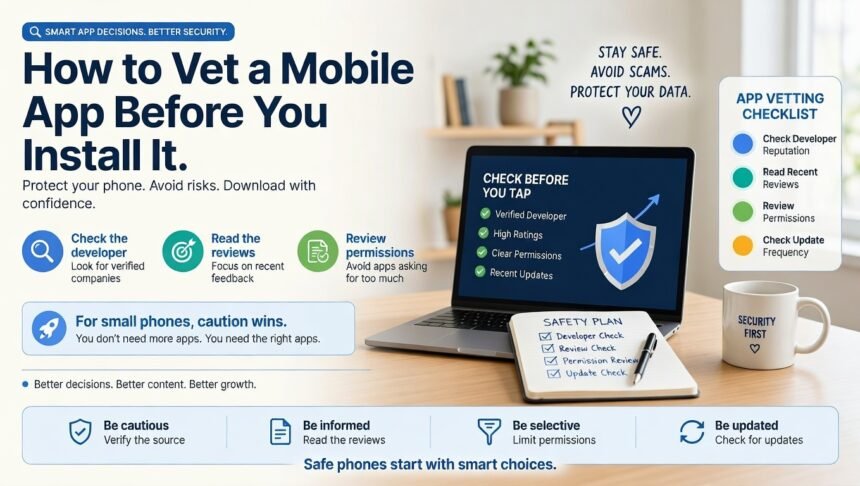
Step 1: Use the official store
Download from the official app store for your device. Installing apps from links, third-party sites, or unofficial stores raises the risk of malware. Be wary of messages that push you to install something urgently.
Step 2: Check the developer
Open the developer’s name and see what else they publish. Look for a working website, a privacy policy, and contact details. Watch out for near-copies of popular apps with slightly different names or icons.
Step 3: Read the reviews wisely
- Sort by recent and read the low and middle ratings first.
- Look for repeated complaints about crashes, billing, or unwanted ads.
- Be suspicious of many short, generic five-star reviews posted at once.
- Check how recently the app was updated. Long-unmaintained apps can carry unpatched security problems.
Step 4: Study the privacy information
Apple’s App Store shows privacy labels summarizing what data an app collects, and Google Play has a Data safety section. Compare them with what the app does. A simple calculator that collects contacts and precise location is a red flag.
Step 5: Question the permissions
Ask whether each permission fits the app’s purpose. A flashlight does not need your contacts; a map app does need location, though it may work with approximate location or only while in use. Choose the most limited option, such as ‘while using’ or ‘ask every time,’ when you are prompted.
Step 6: Understand the pricing
Many apps are free to download but use in-app purchases, ads, or subscriptions. Check for free trials that turn into paid plans, and make sure you know how to cancel through your store account before you start.
Quick reference
| Signal | Looks good | Looks risky |
|---|---|---|
| Developer | Clear name, website, other apps | No information, copycat name |
| Permissions | Match the app’s function | Broad, unrelated requests |
| Privacy label | Minimal, explained data use | Extensive collection for a simple tool |
| Reviews | Detailed, varied, recent | Repetitive, vague, or suspiciously perfect |
| Updates | Regular maintenance | Not updated for years |
| Pricing | Transparent, easy to cancel | Hidden subscriptions, pressure tactics |
After you install
- Open your phone’s settings and review the permissions you granted.
- Turn off notifications you do not need.
- Use a unique password, or better, a [[password-manager-and-passkeys-beginner-setup|password manager and passkeys]], for any account you create.
- Watch battery and data use for surprises.
- Delete apps you no longer use, and remove the account if you will not return.
Special cases
- Apps for children: check age ratings, ads, and in-app purchase controls, and review parental control options.
- Banking and health apps: confirm the app comes from your actual provider by going through the link on its official website.
- Smart home apps: they can access cameras and locks, so apply extra care, as we explain in our [[smart-home-for-beginners-ecosystems-matter-where-to-start|smart home basics guide]].
FAQ
Are paid apps safer than free apps?
Not automatically. Judge each app on its developer, permissions, and reviews.
Can I trust the top search result?
Not always. Sponsored placements can appear at the top, so check the developer carefully.
What should I do if I installed something suspicious?
Uninstall it, revoke permissions, change passwords if you entered any, and monitor your accounts. Consider running your device’s built-in security scan.
The takeaway
Official store, trustworthy developer, sensible permissions, honest reviews, clear pricing. Two minutes of checking protects your data, your money, and your battery. Keep your files safe as well with the [[3-2-1-backup-rule-protect-your-files|3-2-1 backup rule]].